v2.0 Stable  ·  hms.bbit-campus.cloud

BBIT HMS
Hostel Management
System

One secure platform for digital gate passes, JWT-authenticated QR verification, real-time warden notifications, and zero paperwork — for every BBIT hostel student.

Android 8.0+  ·  ~12 MB  ·  Free for BBIT students  ·  Also usable on iPhone via Safari

BBIT HMS
Hostel Management System
Budge Budge Institute of Technology
v2.0 · hms.bbit-campus.cloud
JWT Secured
Authentication
Real-Time
Gate Pass Sync
QR Auth
Verification
0 Trackers
No Ads Ever
App Preview

See it in action

Purpose-built screens for daily hostel life. Tap any image to enlarge.
BBIT HMS Splash Screen
Splash Screen
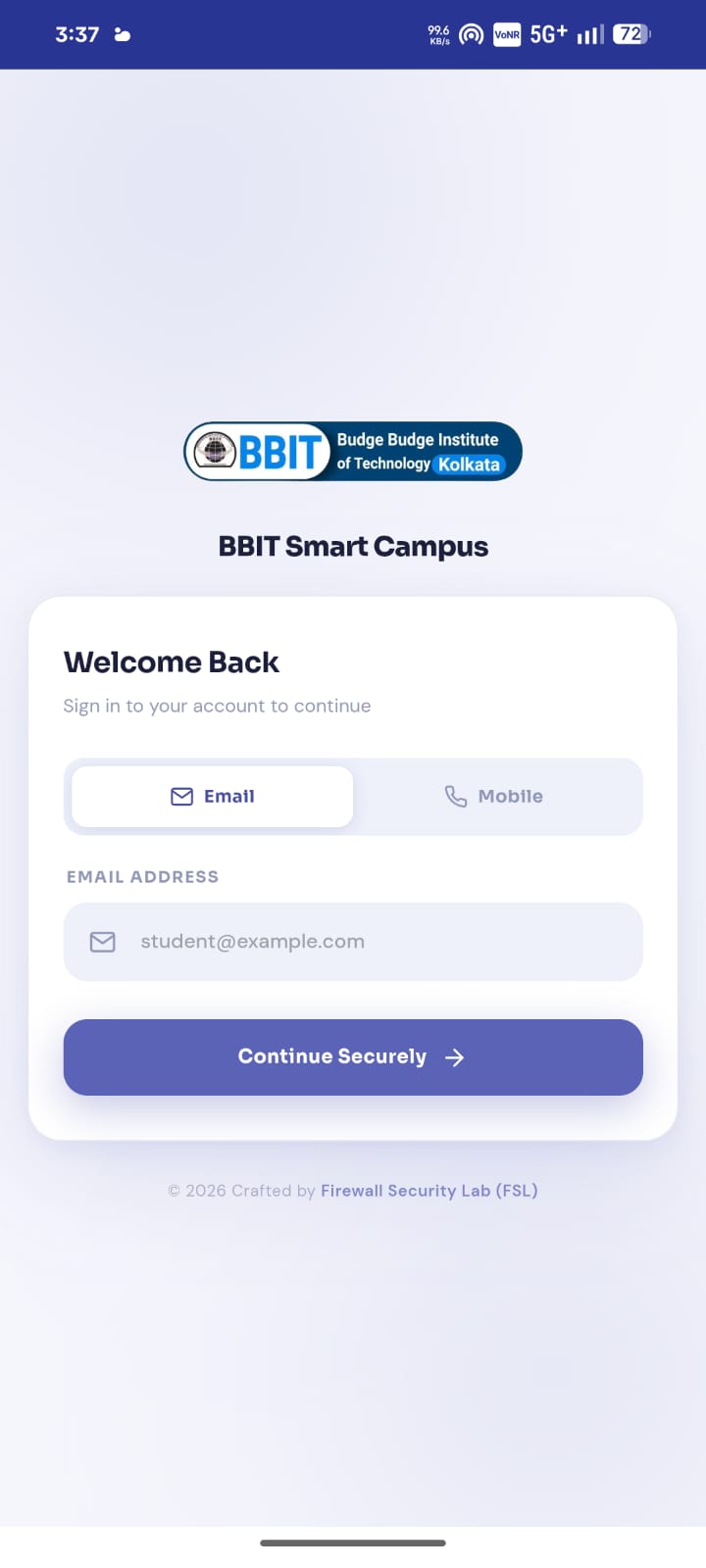
BBIT HMS Login
Login
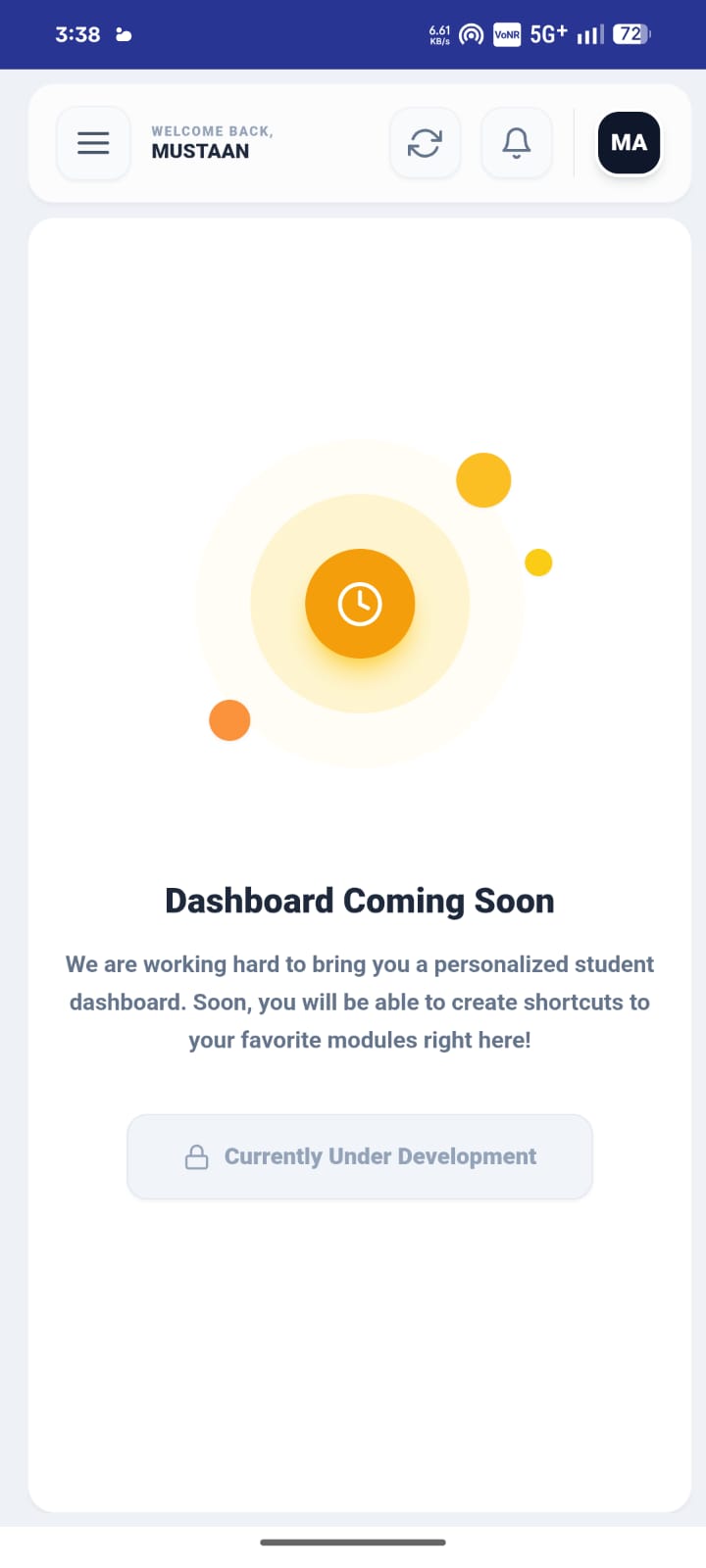
BBIT HMS Dashboard
Dashboard
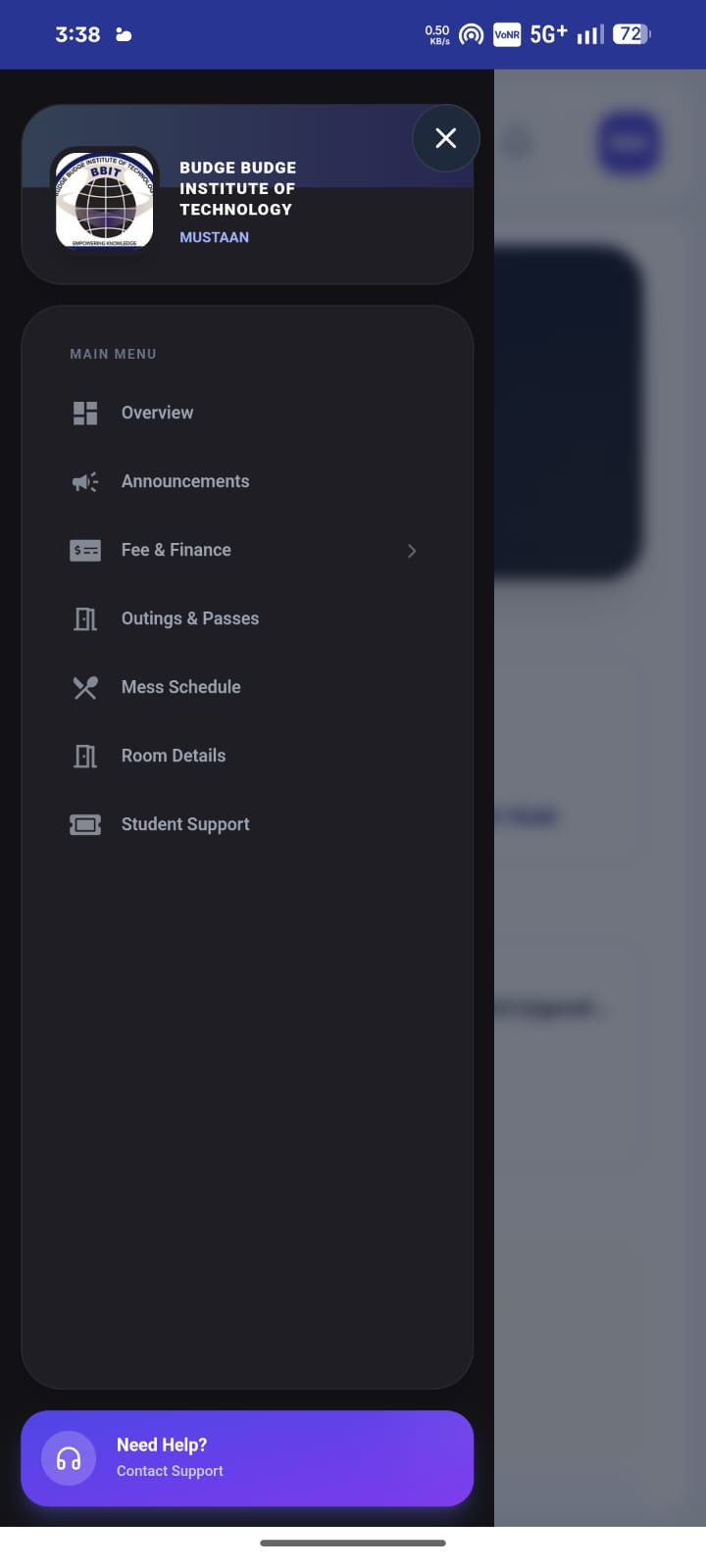
BBIT HMS Menu
Menu
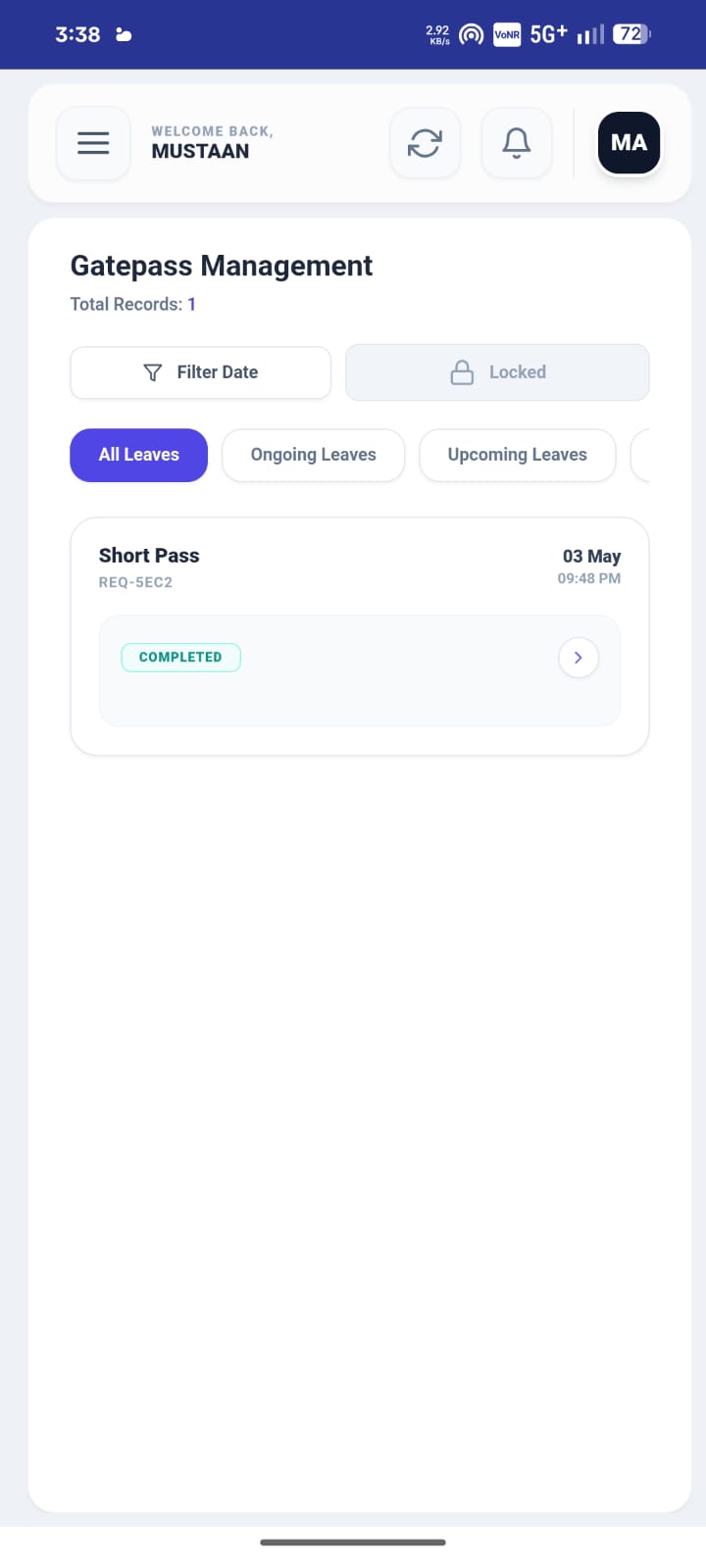
BBIT HMS Gate Pass
Gate Pass
Core Features

Everything you need

Built from the ground up for BBIT hostel students. Every feature solves a real daily problem.

Secure Login
JWT-based authentication using your BBIT student credentials. Tokens are stateless, signed, and verified on every request.
QR Gate Pass
Each approved pass generates a unique, time-bound QR code. Guards scan instantly — no paperwork, no delays.
Instant Notifications
Live push alerts when your gate pass is approved, rejected, or when your return deadline is approaching.
Real-Time Status Sync
Updates sync live between student app, warden panel, and gate security — everyone sees the same status, instantly.
Student Profile
Room details, hostel block, emergency contacts, and academic identity — all organised and always accessible.
Pass History & Logs
Full audit trail with timestamps, warden remarks, and status for every gate pass — accessible even offline.
Getting Started

Up and running in minutes

Four simple steps to connect with the BBIT hostel management system.

01
Download the APK
Tap the download button. Enable "Install from Unknown Sources" in Android Settings when prompted.
02
Login Securely
Enter your student roll number and college-issued password. Your session is secured with JWT tokens.
03
Apply for Gate Pass
Fill in your reason, destination, and return time. Submit directly to your warden for instant review.
04
Show QR & Go
Once approved, show your QR at the gate. Guard scans — you walk out. Zero friction, full accountability.
Security & Privacy

Built with security
at the core

Developed and audited by the Firewall Security Lab at BBIT. Your privacy is non-negotiable.

Verified & Active
JWT-Based Authentication

All sessions are secured using JSON Web Tokens (JWT). Tokens are signed, stateless, and verified server-side on every request — no passwords stored in the app.

JSON Web Token (JWT) authentication
Time-bound, single-use QR tokens
Secure HTTPS API communication
No passwords stored on device
Zero Trackers
Absolute Privacy

Zero third-party SDKs. No analytics, no crash reporters, no advertising networks. The app communicates exclusively with BBIT campus servers — nothing else, ever.

No analytics or behavioural tracking
No advertisements or monetisation
Campus-only data flow
APK signed and verified
Tech Stack

What's powering it

Modern, reliable technologies chosen for performance, security, and long-term stability.

Android Native
Kotlin-first
JWT Auth
Secure tokens
REST API
HTTPS backend
QR Engine
Time-bound codes
Push Alerts
Campus notify
Campus Cloud
On-premise BBIT
iPhone Guide

Use BBIT HMS
on your iPhone

BBIT HMS works as a Progressive Web App on iPhone. Open it in Safari and add to your Home Screen — it feels just like a native app.

Add to Home Screen on iPhone

Works on iOS 14 and above — no App Store needed. Takes under 30 seconds.

Must use Safari — Chrome and other browsers on iOS do not support Add to Home Screen properly
01

Open Safari on your iPhone

Launch the Safari browser. Do not use Chrome, Firefox, or any other browser — only Safari supports this feature on iOS.

safari only
02

Navigate to the website

Type hms.bbit-campus.cloud in the Safari address bar and press Go. The site will load fully in your browser.

hms.bbit-campus.cloud
03

Tap the Share button

At the bottom of Safari, tap the Share icon — it looks like a square with an arrow pointing upward. This opens the Share Sheet.

bottom toolbar share icon
04

Tap "Add to Home Screen"

Scroll down the Share Sheet and tap Add to Home Screen. You can rename the app if you want, then tap Add in the top-right corner.

add to home screen
05

Open from your Home Screen

A BBIT HMS icon now appears on your iPhone Home Screen. Tap it to open — it launches full-screen, just like a native app, with no browser bar visible.

ready to use
The People Behind It

Built by Firewall Security Lab
Members, for students.

A dedicated team at BBIT's Firewall Security Lab who turned a real campus problem into a working solution.

MA
Mustaan Ali
UI/UX DesignerVisual Design Lead
LinkedIn
SA
Safdar Ali
Software EngineerCore Systems
LinkedIn
MW
MD Wasif
Full Stack EngineerBackend & API
LinkedIn
AK
Ankit Kumar Paswan
Cybersecurity SpecialistPenetration Testing
LinkedIn
IM
Ikramul Molla
Security AnalyticsMonitoring Specialist
LinkedIn
FAQ

Common questions

Everything you should know before using BBIT HMS.

Yes. BBIT HMS authenticates using BBIT student credentials. Only registered hostel students of Budge Budge Institute of Technology can log in.
When you log in, the server issues a signed JSON Web Token (JWT). Every API call you make includes this token, which the server verifies without needing a database lookup each time. Tokens expire automatically for security.
Only authorised college personnel — wardens and gate security — can view your gate pass data. No third party has any access at any point.
Once approved and the QR code is generated, it can be displayed offline. The guard's scanner verifies it against the campus server in real time on their end.
Android 8.0 (Oreo) or higher. Tested across Android 8 through Android 15.
Yes. iPhone users can open hms.bbit-campus.cloud in Safari, tap the Share button, and select "Add to Home Screen." This installs the web app as a full-screen icon on your Home Screen — no App Store needed. See the full iPhone Guide section above.
Contact your hostel warden or the BBIT IT helpdesk to reset your credentials. BBIT HMS uses the same login as your official college student portal.
Ready to get started

Take control of
your hostel life.

Free for all BBIT hostel students. No subscriptions, no ads. Forever.

Download APK — v2.0
JWT Secured
Android 8.0+
~12 MB
Free Forever